 TraVoChat
Say it your way.
They get it in theirs.
Chat, call, voice-note and snap photos with anyone on the planet. You speak your language, they hear theirs, instantly. Language barrier? Never heard of her. 💅
Free to use · No password needed · Your messages stay private
Why you'll love it 💜
No more language barrier
Talk naturally with neighbours, workers, customers, friends and family who speak another language.
Free to use
Chats, calls and translations cost nothing. No subscription, no ads in your chats.
Private by design
Messages are scrambled (AES-GCM) on the way. Waiting messages are readable only by the person they're for.
Instant and simple
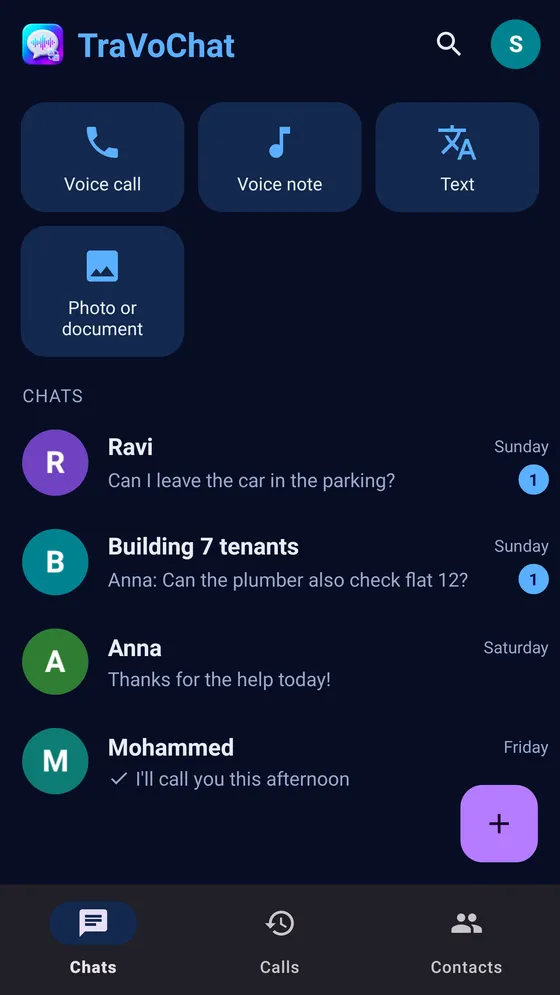
Looks and works like the chat apps you already know. Nothing new to learn.
Phone and computer
Use it on your Android phone, and on any computer with TraVoChat Web.
Smarter with AI
Optional AI gives natural, human-sounding translations and even works offline.
One app. Every convo. Zero lost in translation.
Typing, talking, calling, photos, documents. Every way people talk gets translated.
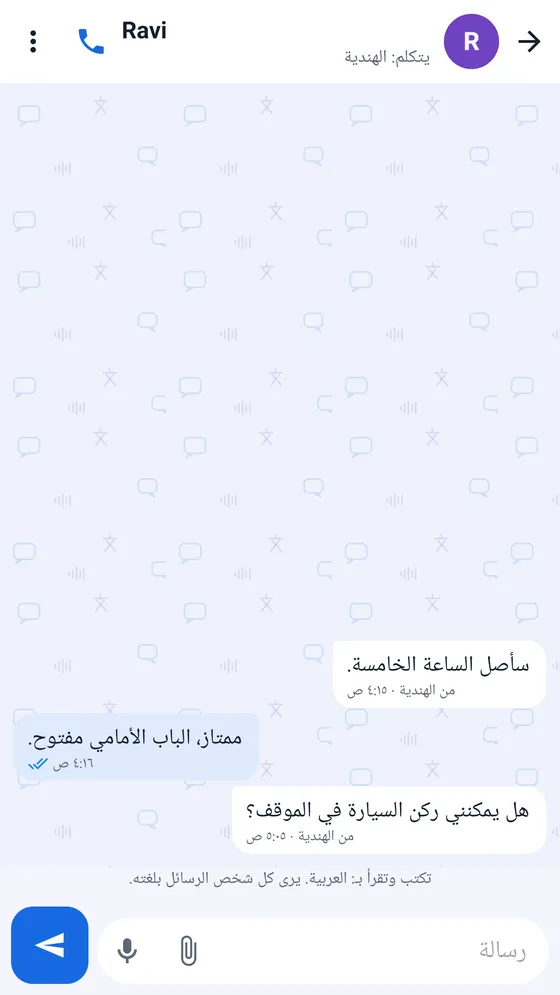
💬 Translated chats
Write in your language and they read it in theirs. Tap any message to see the original. You also get ticks, a mic for speaking instead of typing, and emoji.
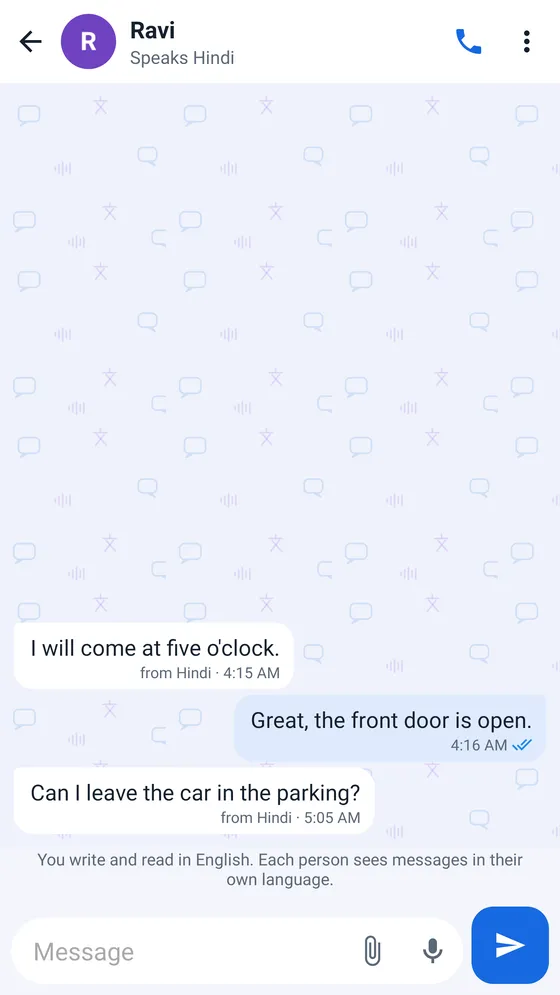
Translated voice calls
Speak normally. The other person hears your words in their language, with live captions. You also get a full call log.
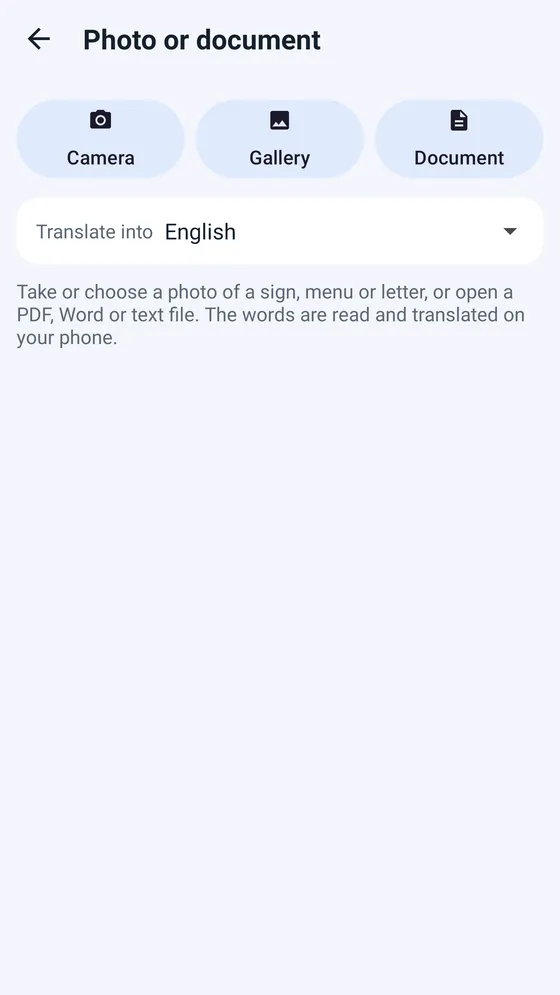
Snap & translate
Signs, menus, letters, PDFs. The translation is painted right on the picture.
Voice notes
Hold, speak, let go. It translates and reads it aloud, even voice notes from WhatsApp.
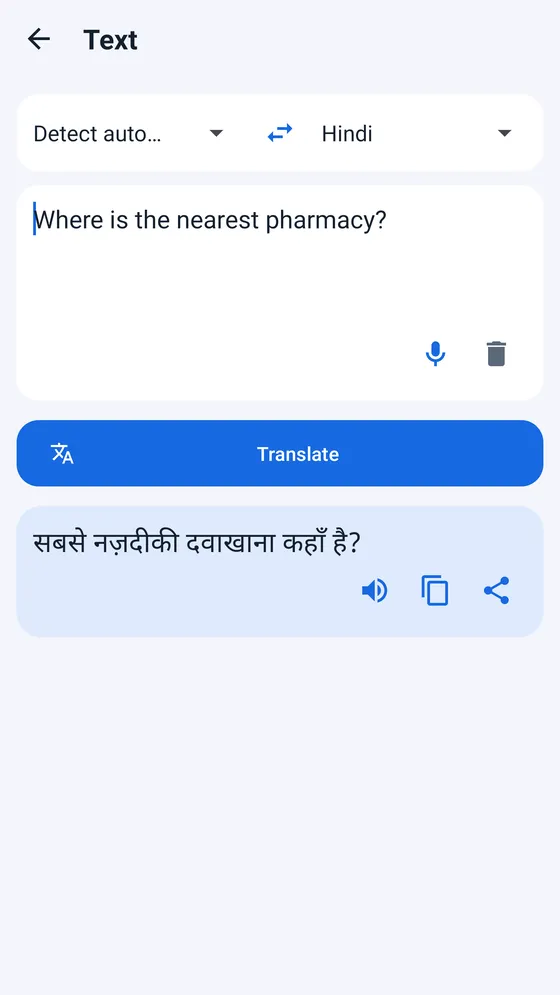
Text translator
Type, paste or say any text. It finds the language, translates, reads it aloud, and lets you copy or share. Select text in any app and choose “Translate & speak”.
Groups
Everyone writes in their own language and reads every message in theirs. It's perfect for families, teams, buildings and classes.
Photos & files in chats
Send photos and documents with a caption that gets translated. Open photos full screen with zoom, then translate, save, share or forward them.
Greeting cards
Eid, Ramadan, birthdays, weddings, get well soon, thank you and more. Change the words and the design. The words arrive translated.
Messages wait for you
If a phone is off, a scrambled copy waits in that person's private inbox and arrives when they're back online.
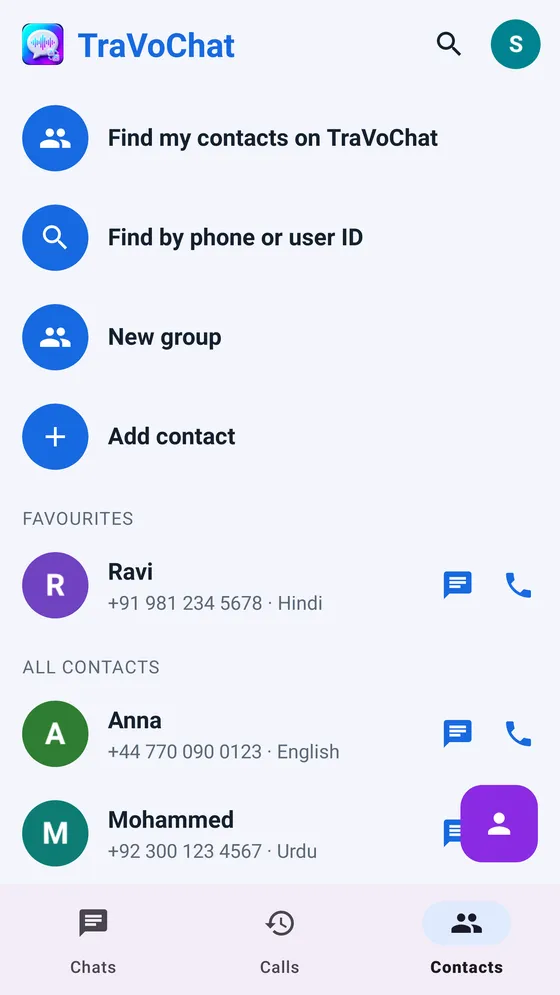
Find people easily
TraVoChat shows which of your contacts already use it. Find anyone by phone number or user ID, and invite friends who aren't on it yet.
Chat tools you know
- Mute and block
- Disappearing messages
- Search inside a chat
- Favourites
- Export or clear a chat
- Media, links and docs
Speaks your language
The app's screens come in English, Arabic, Urdu, Hindi, Bengali, Chinese, Spanish, French, Portuguese and Russian, with right-to-left layouts for Arabic and Urdu.
Make it yours
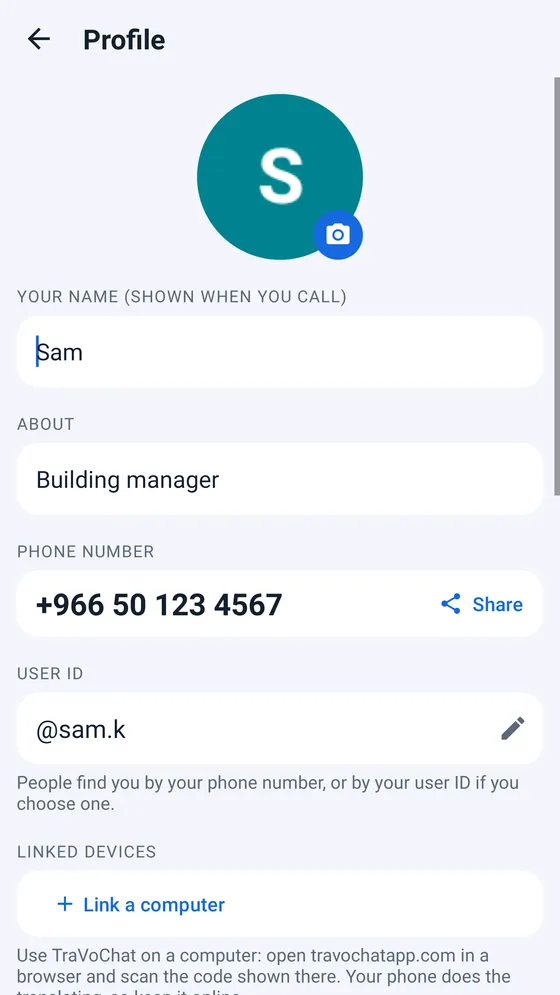
Light, dark or follow your phone, six accent colours, wallpapers, and a theme for each chat. Your profile has a photo, name, about line and language.
Sign in your way. No passwords. 🙌
No password to remember. Choose what suits you.
- Phone number: like WhatsApp. People who have your number find you straight away.
- User ID: pick a name like @sam.k if you'd rather not share your number.
- Email link: we email you a sign-in link and you just tap it. On a new phone, the same email brings your account back.

Translations that actually sound human 🤖
TraVoChat always works with its free built-in translator. Turn on the AI extension for more natural translations that keep tone, slang and names. It also reads photos better and writes greeting cards for you.
AI on your phone
Newer phones (such as Pixel 8+ and Galaxy S24+) have Gemini Nano built in. Other phones can add Offline AI (Google's Gemma, about 550 MB). It's free and private, works with no internet, and needs no key.
Free · Offline · PrivateYour own AI key
Connect Gemini (recommended, with a free key from Google), or Claude or ChatGPT. Tap “Get free Gemini key”, sign in with Google, tap Create and Copy, and the app fills it in for you. Your key is stored encrypted on your phone only.
Free Gemini key · Best qualityBuilt-in translator
If there's no AI, or the AI is busy or slow, TraVoChat switches to its free built-in translator automatically. Your messages always get translated.
Always on · Never fails🗣️ Natural wording
It keeps meaning, tone, names, numbers and emojis, the way a native speaker would say it.
📷 Reads any photo
Handwriting, signs and labels in Arabic, Urdu, Hindi, Chinese and more.
💌 Writes cards
“Write with AI” writes the greeting in your language. Gemini and ChatGPT can draw the picture too.
🔁 Picks the best model
If a model is retired, busy or out of free requests, it switches to another one by itself.
Up and talking in 3 steps ⚡
Both people use TraVoChat, and each picks their own language.
Install and sign in
Use your phone number, a user ID or an email link. Type your name and pick your language.
Find your people
Allow contacts to see who's on TraVoChat, or search by phone number or user ID.
Chat, call and share
Write, speak or send a photo. Everyone gets it in their own language.
Clean. Cute. Familiar. 😍
Screens follow your phone's language: English, Arabic, Urdu, Hindi, Bengali, Chinese, Spanish, French, Portuguese and Russian.
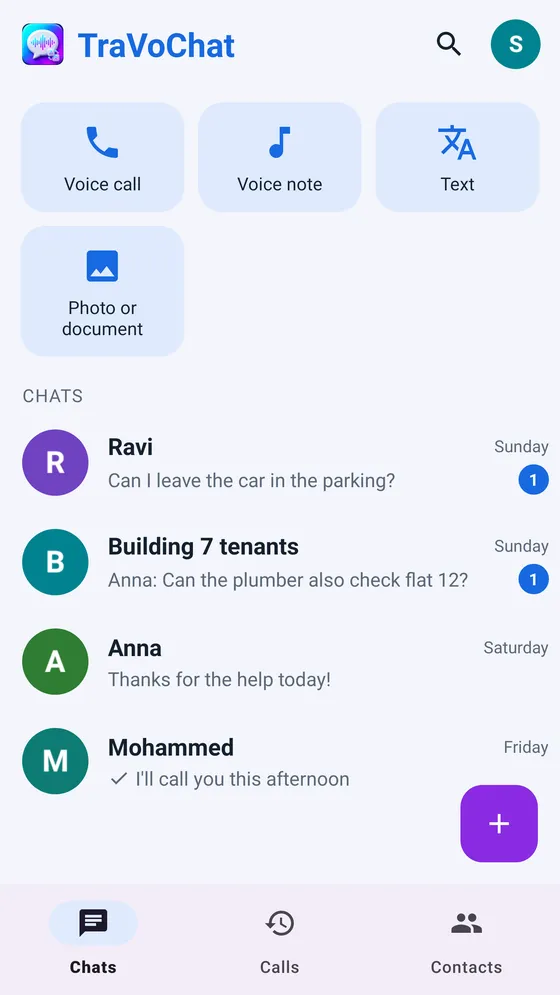
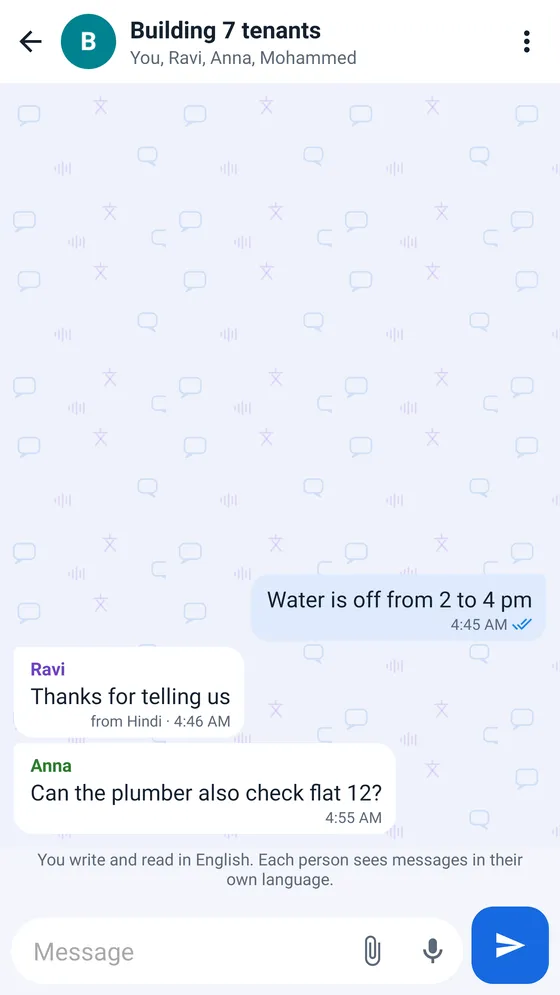
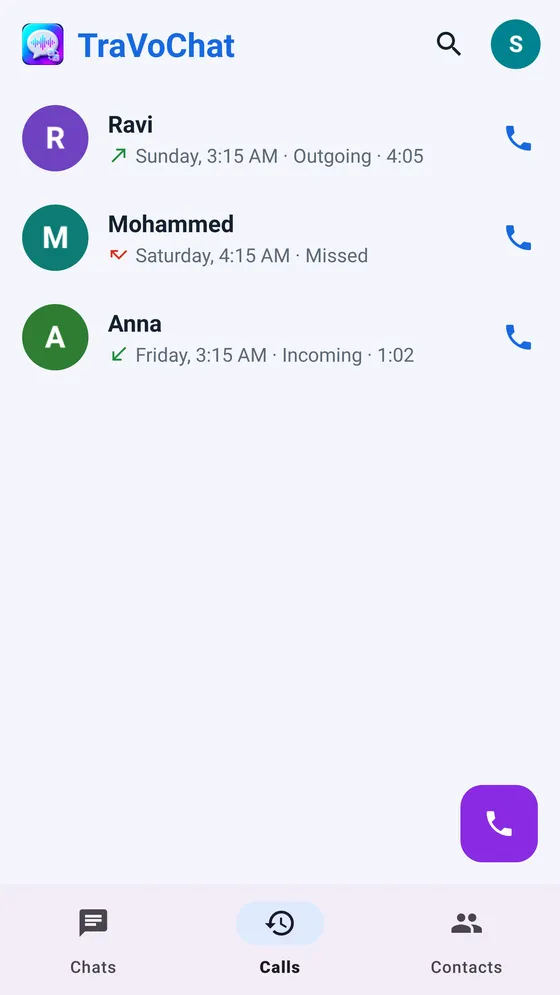

Big screen energy 💻
Like WhatsApp Web: open the site on a computer, scan the code with your phone, and you're in.
- Type on a keyboard: chats, groups and contacts, all translated.
- Voice calls from the computer with live captions (Chrome and Edge).
- Photos and files: send by drag and drop or paste, with a full-size viewer.
- Calls tab, filters, search and emoji, just like on your phone.
Your language is in here 🗣️
Translate between more than 50 languages, including:
Made for your whole world 🌏
Anyone who needs to be understood, anywhere in the world.
Travellers
Read menus and signs, ask for directions, chat with hosts.
Workers abroad
Talk clearly with managers, colleagues and customers.
Families
Grandparents, in-laws and cousins, each in their own language.
Businesses & buildings
Serve tenants, staff and clients who speak many languages.
Questions? We got you 👇
Is TraVoChat free?
Yes. Chats, voice calls, voice notes and photo translation are free. The optional AI extension can also be free: on-device AI costs nothing, and Google gives free Gemini keys. Claude and ChatGPT keys are paid by their owner.
Do both people need TraVoChat?
Yes, for chats and calls. Normal phone calls and WhatsApp calls can't be translated. The text, voice note and photo translators work on your own.
Is my data private?
Messages are scrambled while they travel. A message waiting for a phone that's off can only be read by its owner. Your AI key is stored encrypted on your phone and is never shared. Read the privacy policy.
Does it work without internet?
Chats and calls need internet. With on-device AI (Gemini Nano or Offline AI), translating on your phone works offline.
How do I use it on my computer?
Open travochatapp.com/web on the computer. Then on your phone go to Profile › Linked devices › Link a computer, and scan the code. Your phone does the translating, so keep it online.
Is there an iPhone app?
TraVoChat is for Android phones (Android 7.0 or newer) for now. iPhone users can use TraVoChat Web in a browser when linked to an Android phone.
I got a new phone. Will I lose my account?
Sign in with the same email link, phone number or user ID and your account comes back.
Ready to talk to the world? 🚀
TraVoChat for Android is coming to Google Play. Read the guide to get ready, or open TraVoChat Web on your computer.
Android 7.0 or newer · Google Play services